
Centaur Connect Gateway - Security FAQs

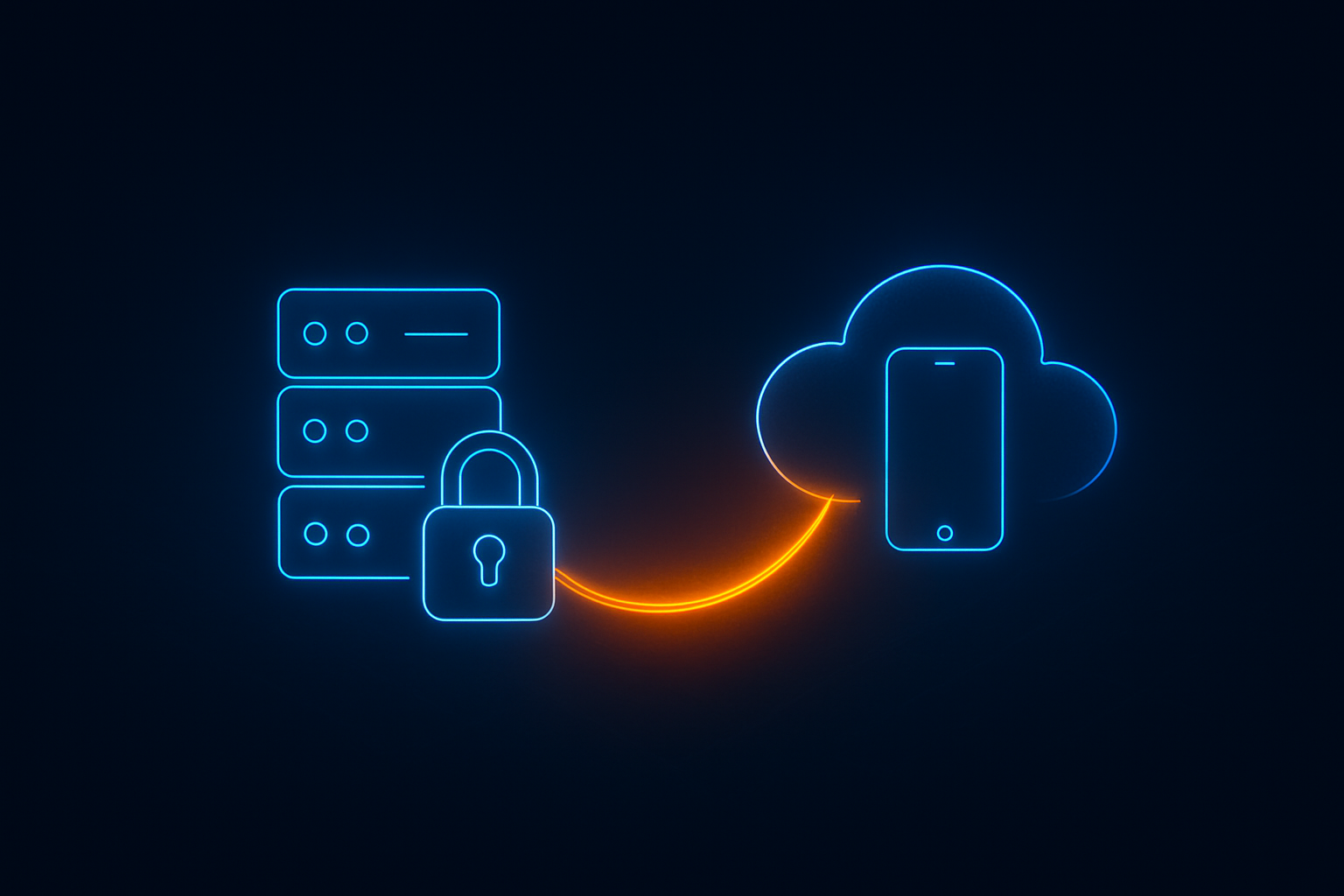
Centaur Connect Gateway is a secure connectivity solution that enables our cloud-based D4W Mobile application to access on-premise Dental4Windows databases without requiring complex firewall configurations or VPN setups. The gateway creates an encrypted connection between your practice’s database and Centaur Software’s cloud infrastructure, ensuring secure access to patient data. 
For Practice Owners

Common Security Questions

No. The architecture prevents Centaur staff from accessing practice data: 

  • Encrypted Channel: All data flows through strong encryption 
  • No Data Storage: Gateway forwards requests without storing query contents 
  • Customer-Specific Credentials: Database connections use credentials configured by each practice 
  • End-to-End Security: Only the mobile application and your database can read the data 


Centaur Software staff can view connection metadata (who’s connected, when), but cannot access patient records or database contents.
 

Defence-in-depth design limits impact: 

  • No Stored Passwords: Passwords are cryptographically protected and cannot be reversed 
  • MFA Requirement: Attacker would need both password credentials and multi-factor authentication secrets 
  • Encrypted Credentials: Customer database credentials are stored with encryption 
  • No Direct Database Access: Server cannot directly reach practice databases 
  • Audit Logs: All authentication attempts and connections are logged 

Additionally, Centaur’s cloud infrastructure follows industry security best practices, including network isolation, monitoring, and incident response. 

Centaur Software maintains ongoing security vigilance: 

  • Regular Security Reviews: Periodic analysis of code and architecture 
  • Dependency Updates: Regular updates to software frameworks and security libraries 
  • Vulnerability Monitoring: Tracking of security vulnerabilities affecting system components 
  • Security-First Development: Secure coding practices and peer review 
  • Continuous Improvement: Security enhancements based on emerging threats 

Centaur Software takes security seriously: 

  • Responsible Disclosure: Report security issues to Centaur support immediately 
  • Rapid Response: Security issues are prioritised for immediate investigation 
  • Coordinated Patches: Updates coordinated to minimise exposure 
  • Customer Notification: Affected customers notified of security-relevant updates 

Please contact Centaur Software support regarding our security vulnerability reporting process. 

Compliance & Standards

Centaur Connect Gateway is designed to support multiple compliance frameworks:  

ISO 27001:2022: Information security management system standards  

ISO 27001:2022 Annex A Controls 

  • A.5.15 (Access Control): Multi-factor authentication and role-based access controls 
  • A.5.17 (Authentication Information): Secure password management with cryptographic hashing and MFA 
  • A.5.18 (Access Rights): Administrative approval workflows and account activation controls 
  • A.8.9 (Configuration Management): Secure configuration management for gateway components 
  • A.8.24 (Use of Cryptography): TLS 1.2/1.3 encryption with AES for data in transit 
  • A.8.15 (Logging): Comprehensive audit logging of authentication and connection events 
  • A.8.16 (Monitoring Activities): Continuous monitoring of system activities and authentication attempts 

Australian Privacy Principles (APPs): Privacy requirements for handling personal information.

Australian Privacy Principles (APPs) 

  • APP 1 (Open and Transparent Management): Clear privacy policies and data handling documentation 
  • APP 11 (Security of Personal Information): Strong encryption, access controls, and secure storage of personal information 
  • APP 11.1: Protection against misuse, interference, loss, unauthorised access, modification or disclosure 
  • APP 11.2: Reasonable steps to destroy or de-identify personal information when no longer needed 
  • APP 13 (Correction): Account management features allowing password changes and account updates 

SOC 2: Service Organisation Control 2 for security, availability, and confidentiality. 

SOC 2 Trust Services Criteria 

  • CC6.1: Logical and physical access controls restricting unauthorised access 
  • CC6.6: Encryption of data to protect confidentiality 
  • CC6.7: Transmission security using TLS protocols 
  • CC6.8: Prevention of unauthorised access through multi-factor authentication 
  • CC7.2: System monitoring to detect security incidents 
  • CC7.3: Detection of system failures and security events through logging 


Essential Eight: Australian Cyber Security Centre’s mitigation strategies. 

Essential Eight Mitigation Strategies 

  • Strategy 1 – Application Control: Controlled software deployment and managed service architecture 
  • Strategy 2 – Patch Applications: Automated update mechanisms for gateway components 
  • Strategy 3 – Configure Microsoft Office Macro Settings: Not directly applicable (gateway infrastructure) 
  • Strategy 4 – User Application Hardening: Secure-by-design architecture with minimal attack surface 
  • Strategy 5 – Restrict Administrative Privileges: Role-based access control and administrative approval workflows 
  • Strategy 6 – Patch Operating Systems: Managed service with current security patches 
  • Strategy 7 – Multi-Factor Authentication: Mandatory MFA for all user accounts (fully enforced) 
  • Strategy 8 – Regular Backups: Supports practice backup strategies through secure data access 

Centaur Connect Gateway directly assists dental practices in meeting their Essential Eight obligations. 

Direct Compliance Support 

  • Multi-Factor Authentication (Strategy 7): The gateway enforces mandatory MFA for all user accounts accessing practice data remotely, fulfilling one of the Essential Eight requirements 
  • Administrative Privileges (Strategy 5): Administrative approval workflows and role-based access controls help practices restrict administrative access 
  • Application Control (Strategy 1): Managed service architecture reduces the attack surface at practice locations 


Indirect Compliance Support 

  • Secure Remote Access: Provides a secure, compliant method for mobile applications to access on-premise databases 
  • Audit and Monitoring: Comprehensive logging supports practices’ monitoring and incident response requirements 
  • Regular Updates: Automated update mechanisms help practices maintain current security patches 


Practice Benefits 

  • Simplified Compliance: Reduces technical complexity in meeting Essential Eight requirements 
  • Audit-Ready Logging: Provides audit trails that support compliance verification 
  • Security by Design: Built-in security controls reduce the burden on practice IT staff 
  • Managed Service Model: Centaur maintains the gateway infrastructure, ensuring ongoing compliance with security best practices 


By implementing Centaur Connect Gateway, practices can demonstrate compliance with Essential Eight Strategy 7 (Multi-Factor Authentication) and receive support for several other strategies, significantly simplifying their overall Essential Eight compliance posture. 

Security Controls 

  • Encryption in Transit: All data is encrypted using TLS 1.2 and TLS 1.3 with AES encryption 
  • Access Control: Strong authentication with mandatory multi-factor authentication 
  • Audit Logging: Comprehensive logging of authentication events and connections 
  • Session Management: Automatic timeouts and session tracking 
  • Integrity Protection: Encryption provides both confidentiality and integrity checking 


Privacy Controls 

  • Data Minimisation: Only necessary data is transmitted and stored 
  • Access Restrictions: Role-based access control and authentication 
  • Audit Trails: Comprehensive logging for privacy compliance 
  • Secure Storage: Cryptographic protection for sensitive data 


Important Note: Full compliance requires not only secure technology but also proper policies, staff training, and operational procedures. Please consult with your compliance officer to ensure all requirements are met. 

For IT Professionals

Authentication & Access Control

Centaur Connect Gateway implements multi-layered authentication.

Primary Authentication: Email address and strong password.

Multi-Factor Authentication (MFA): MFA is mandatory for all Centaur Connect Gateway accounts and uses the RFC 6238 TOTP standard with Time-based One-Time Passwords. 

  • Strong Security Keys: Cryptographically secure random secrets with 256 bits of entropy 
  • Broad Compatibility: Works with Google Authenticator, Microsoft Authenticator, Authy, and other RFC 6238-compliant authenticator apps 
  • Rolling Codes: 6-digit codes with 30-second validity that cannot be reused 

 
During registration, you receive a QR code to scan into your authenticator app, ensuring the secret key is never transmitted over email or insecure channels. 

Account Activation: Administrative approval is required before accounts become active. 

This defence-in-depth approach ensures that even if credentials are compromised, unauthorised access is prevented. 

Our password security includes: 

  • Strong Password Requirements: Minimum 12-character passwords with complexity requirements (uppercase, lowercase, numbers, special characters) 
  • Industry-Standard Protection: Passwords are secured using cryptographic hashing algorithms employed by major financial institutions 
  • Unique Security: Each password receives unique cryptographic protection 
  • Password Rotation: 90-day expiration policy with email reminders 
  • Advanced Attack Protection: Sophisticated protections against password-guessing attacks 

 
Passwords are never stored in plaintext and cannot be retrieved by anyone, including Centaur Software staff. 

Comprehensive rate limiting prevents credential stuffing and brute force attacks: 

  • Attempt Limits: Limited authentication attempts per time period (industry-standard thresholds) 
  • Automatic Lockout: Temporary account lockout after exceeding the attempt threshold 
  • Account-Based Protection: Rate limits apply per email address, preventing targeted attacks 
  • Automatic Management: The System automatically maintains optimal performance 

 
These measures ensure that even if an attacker has partial credentials, systematic guessing is computationally infeasible. 


Data Security & Encryption

All data transmission is encrypted using industry-leading protocols. 

TLS 1.2 and TLS 1.3 Encryption: Modern Transport Layer Security protocols with AES 256-bit encryption (with 128-bit as minimum). Data flowing between your practice and the cloud is protected with the same encryption standards used by online banking. 

Certificate Security and Validation: Centaur Connect Gateway implements rigorous certificate validation 

  • Server Authentication: Validates server identity against trusted certificate authorities 
  • Certificate Chain Validation: Full verification from server certificate to root authority 
  • Revocation Checking: Real-time verification that certificates haven’t been revoked 
  • Identity Verification: Ensures certificates match the server identity 
  • Flexible Deployment: Support for various certificate management approaches 


Forward Secrecy
: TLS 1.3 provides perfect forward secrecy, ensuring past communications remain secure even if future keys are compromised. 

Man-in-the-Middle (MITM) Attack Protection: Through mandatory encryption, certificate validation, certificate chain trust, revocation checking, and enhanced security options, intercepting or modifying data in transit without detection is cryptographically infeasible. 

Data storage follows security best practices: 

  • Cryptographic Hashing: All passwords are secured using industry-standard cryptographic techniques 
  • MFA Secret Protection: Multi-factor authentication secrets stored with restricted database access 
  • Database Security: Compatible with database encryption capabilities 
  • No Plaintext Secrets: No passwords or sensitive authentication data stored in reversible formats 
  • Bank-grade Encryption: Data is always encrypted when travelling through public networks between your practice and mobile application 
  • Encrypted Channel: All database queries and results pass through the encrypted channel 
  • Local Connection: The on-premise component connects to your database locally, minimising network exposure 
  • No Data Retention: The gateway forwards data without storing query contents or results 

Protection Against Common Threats

Multiple layers of SQL injection defence: 

  • Secure Query Methods: All database operations use industry-standard secure query techniques 
  • Input Validation: Only validated, predefined data fields are allowed in queries 
  • No Dynamic Construction: Database commands follow secure patterns that prevent injection 
  • Type-Safe Processing: Strong typing ensures data integrity throughout the system 
  • Comprehensive Validation: All user-provided data is validated before database interaction 

The gateway implements replay attack protection using: 

  • Unique Request Identifiers: Cryptographic identifiers that cannot be reused 
  • Time-Based Validation: Strict time windows for request validity 
  • Synchronised Security: Proper time synchronisation prevents timing manipulation 
  • Automatic Management: Expired security tokens are removed automatically to maintain performance 


This ensures that attackers cannot replay intercepted authentication requests.
 

Session management features include: 

  • Session Tracking: Unique session identifiers for each authenticated connection 
  • Timeout Enforcement: Automatic session timeouts 
  • IP Address Binding: Sessions are bound to the originating IP address to prevent hijacking 
  • Automatic Expiration: Inactive sessions are automatically terminated 
  • Activity Refresh: Session timers reset with each valid operation 

 
These measures prevent unauthorised access to established sessions. 

Comprehensive input validation prevents injection attacks and data corruption: 

  • Email Validation: International standard-compliant email format verification 
  • Name Validation: Alphanumeric characters with safe punctuation only 
  • Password Complexity: Automatic enforcement of length and complexity requirements 
  • High-Performance Validation: Efficient validation maintains system performance 
  • Whitelist Approach: Only explicitly allowed characters pass validation 

Multiple DoS mitigation strategies: 

  • Rate Limiting: Per-account attempt limits prevent resource exhaustion 
  • Connection Timeouts: Automatic timeout of stalled connections 
  • Activity Monitoring: System detects and removes inactive connections 
  • Automatic Cleanup: Expired sessions and tracking data are removed automatically 
  • Efficient Resource Usage: Optimised architecture minimises resource consumption

System Architecture & Network Security

Network Configuration 

  • Outbound Only: The on-premise component initiates outbound connections  
  • Standard Ports: Uses standard network ports that work through typical firewall configurations 
  • Per-Practice Isolation: Dedicated, isolated channels created for each authenticated practice 
  • Local Database Access: On-premise component connects to your database locally 

Benefits over traditional VPN 

  • Outbound Only: Connections are initiated from your practice, not from external sources 
  • Minimal Attack Surface: No VPN servers or complex network configurations to secure 
  • Centralised Authentication: All access control is managed at the cloud gateway 
  • Automatic Reconnection: The System automatically re-establishes connections if a network interruption occurs 

Strict isolation mechanisms:

  • Dedicated Channels: Each practice receives dedicated, isolated communication channels
  • Session Isolation: Sessions are bound to authenticated accounts
  • Database-Level Separation: Per-customer database connection settings
  • IP Binding: Sessions validate the originating IP address
  • Account-Based Routing: Gateway routes requests only to the authenticated practice’s database

It is architecturally impossible for one practice to access another practice’s data.

Resilience features: 

  • Automatic Reconnection: The System automatically attempts to reconnect 
  • Intelligent Retry: Retry intervals intelligently adjusted to prevent system overload 
  • Connection Monitoring: The System continuously monitors connection health 
  • Graceful Degradation: Mobile applications receive appropriate error messages 
  • Event Logging: Connection events are logged for troubleshooting 

Administration & Monitoring

Secure registration workflow: 

  • Email Verification: Cryptographically secure verification code sent via email 
  • MFA Setup: Multi-factor authentication secret delivered via QR code 
  • MFA Verification: User must verify authenticator setup before proceeding 
  • Password Creation: A Strong password set by the user 
  • Administrative Approval: Account created in inactive state, requiring administrator activation 


This multi-step process ensures only authorised personnel can create accounts.
 

System administrators can: 

  • Monitor Connections: View all currently connected practices 
  • Audit Accounts: Review all registered accounts (without viewing passwords) 
  • Activate/Deactivate Accounts: Enable or disable access for specific users 
  • Manage Connections: Control active connections for specific practices 
  • View Activity Logs: Review connection logs and authentication events 


Administrative operations are performed with appropriate access control.
 

Email communication security: 

  • Email Verification Codes: Cryptographically secure random verification codes 
  • Secure Storage: Verification codes are cryptographically protected before storage 
  • Password Recovery: Secure password reset process with email verification 
  • Expiration Reminders: Automatic notifications before password expiration 
  • Authenticated Email: Secure email server configuration with authentication 

 
Sensitive data (passwords, MFA secrets) is never transmitted via email. 

Yes, password rotation is configurable: 

  • Default Policy: 90-day password expiration 
  • Advance Notification: Email reminders 7 days before expiration 
  • Configurable Period: Password expiration period can be adjusted in the configuration 
  • Forced Rotation: Expired passwords must be changed before authentication 
  • Change History Tracking: System tracks password rotation compliance 

Industry-recognised security standards: 

  • ISO/IEC Standards: International standards for information security 
  • RFC Standards: Email validation (RFC 5321), TLS encryption, TOTP authentication (RFC 6238) 
  • Best Practice Frameworks: Input validation, secure database queries, multi-factor authentication, secure session management 
  • Enterprise Security: Industry-standard frameworks for password and identity management 
  • Cryptographic Standards: Government-approved cryptographic methods for key generation 

Industry-recognised security standards: 

  • ISO/IEC Standards: International standards for information security 
  • RFC Standards: Email validation (RFC 5321), TLS encryption, TOTP authentication (RFC 6238) 
  • Best Practice Frameworks: Input validation, secure database queries, multi-factor authentication, secure session management 
  • Enterprise Security: Industry-standard frameworks for password and identity management 
  • Cryptographic Standards: Government-approved cryptographic methods for key generation 

Comprehensive logging infrastructure: 

  • Structured Logging: Enterprise-grade logging framework 
  • Multiple Destinations: System event logs and file-based logging 
  • Audit Trail: Authentication attempts, connection establishment, administrative operations 
  • Sensitive Data Protection: Passwords and secrets are never logged 
  • Configurable Detail: Adjustable log levels for troubleshooting versus production environments 

Logs provide forensic evidence for security investigations and compliance audits.

Glossary

Software installed at the practice that creates a secure connection to the cloud gateway. 

Time-based One-Time Password (RFC 6238), a type of multi-factor authentication using rotating 6-digit codes.

Transport Layer Security, the encryption protocol protecting data in transit (TLS 1.2 and TLS 1.3).

Advanced Encryption Standard, a symmetric encryption algorithm used for securing data.

Multi-Factor Authentication, requiring multiple forms of identity verification.

International standard for information security management systems.

Privacy requirements under the Australian Privacy Act 1988.

Service Organisation Control 2, an audit framework for security and privacy controls.

Australian Cyber Security Centre’s baseline mitigation strategies.

Trusted entity that issues digital certificates.

Request for Comments, technical standards for Internet protocols.

Process of encoding data so only authorised parties can access it.

Process of verifying the identity of a user or system.

A period of authenticated connectivity between systems.

Support & Contact

For technical support with the Centaur Connect Gateway, contact us via: