
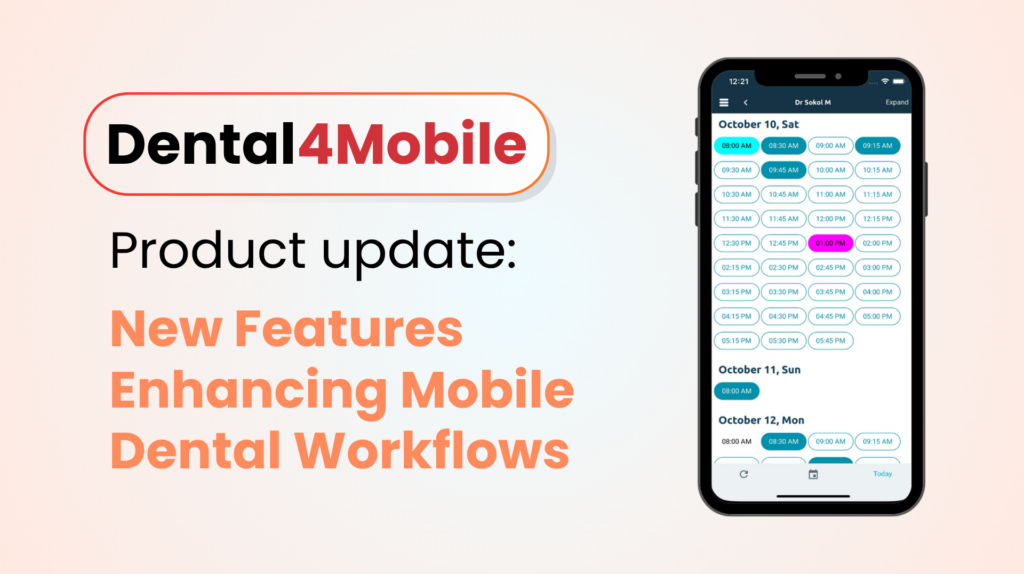
Dental practices are increasingly relying on mobile solutions to streamline workflows, improve access to patient information, and deliver better care experiences. The latest updates to Dental4Mobile introduce a range of enhancements designed to make everyday tasks more efficient, secure, and accessible, whether you’re in the practice or on the move.
These improvements have been shaped by valuable feedback from our customers. We’ve listened to how practices use Dental4Mobile every day, identified areas where the experience could be enhanced, and delivered updates focused on usability, performance, and functionality. This is just the beginning, with further enhancements already planned as we continue to evolve the platform based on customer needs.
With a fresh modernisation and familiar user experience, Dental4Mobile now delivers powerful cloud functionality at your fingertips, making it easier for teams to stay connected and productive from anywhere.
Here’s a closer look at what’s new and how these features can benefit your team.
Capture and Upload Patient Photos from Mobile
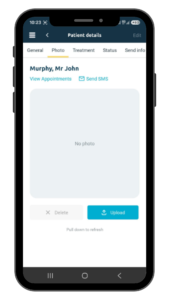
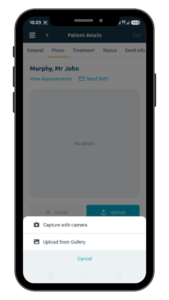
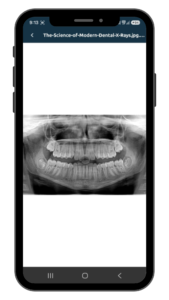
With the new mobile phone camera integration, users can now capture patient photos directly within the app and upload them into connected Dental4Windows and Dental4Web workflows. In addition to photos, files and folders can also be uploaded and managed straight from a mobile device.
This enhancement removes the need for separate systems or manual transfers, allowing practices to efficiently document patient cases in real time. The result is faster, more accurate record-keeping and improved clinical documentation at the point of care.
Accessing Patient Documents
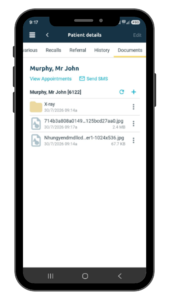
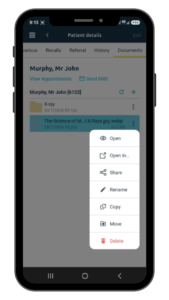
A new Documents tab in Patient Details gives staff access to patient document folders
and files stored in their connected Dental4Windows or Dental4Web system. From their mobile device, users can view supported files, upload documents or images, and delete files where they have permission. This gives teams practical, controlled access to patient documents while working away from the desktop.
Stronger Security with Extended Password Length
Security remains a top priority, and the latest update introduces support for passwords and passphrases of up to 64 characters, significantly increasing from the previous limit.
This change aligns with modern security standards and enables the use of stronger, more complex credentials. By supporting longer passphrases, practices can better protect sensitive patient data while maintaining compliance with evolving cybersecurity expectations.
This enhancement removes the need for separate systems or manual transfers, allowing practices to efficiently document patient cases in real time. The result is faster, more accurate record-keeping and improved clinical documentation at the point of care.
A More Powerful Mobile Experience
These updates position Dental4Mobile as a powerful extension of your practice management system. As part of a broader modernisation effort, the platform is being refreshed to feel faster, cleaner, and more intuitive from the moment you open it. By improving mobile access to patient data, enhancing document handling, strengthening security, and enabling treatment plan management, Dental4Mobile continues to support more connected, efficient, and future-ready dental operations.
Ready to See it in Action?
Discover how these new features can transform your practice workflows and elevate patient care.
For existing users, these features are available at no additional cost, they simply need to be switched on.

About the Author
Kanella Theo
Author, Dental Insights Contributor
